Event lifecycle
This page walks through an example of how the JFT API is used to report an event and track it through its full lifecycle.
- Acme Inc.'s software system EvRep is used to report events.
- HealthRecords Corp.'s software system HRec is the EHR system.
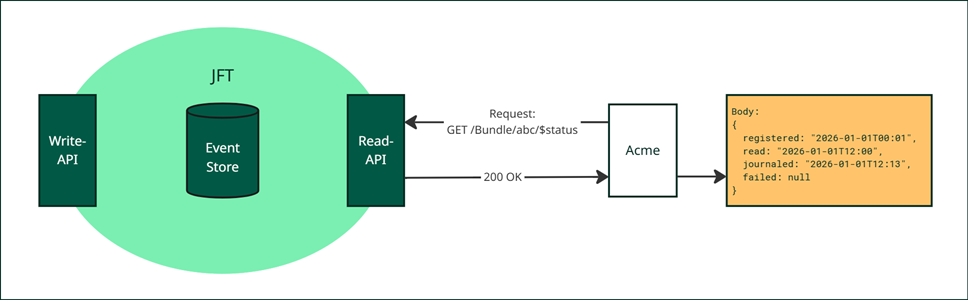
Report event
Acme's EvRep system reports a Bundle event via the WriteAPI. The optional nhn-source-system header is
included to identify the originating system.
JFT processes the event at 2026-01-01 00:01 and assigns resourceId="abc".
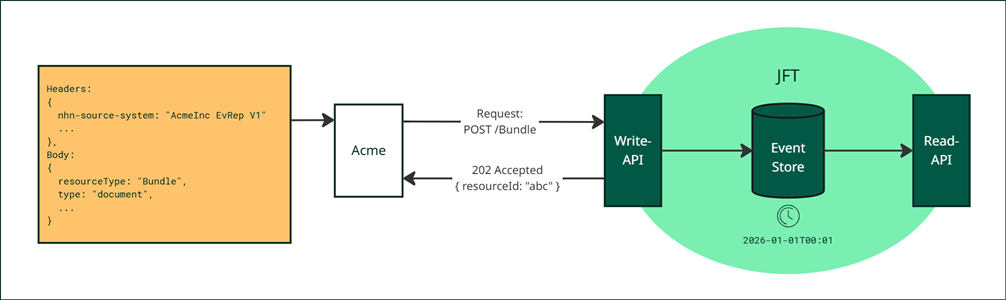
Check status (1)
Acme checks the event status using the $status endpoint and the resourceId. The response confirms that
the event has been successfully registered in JFT.
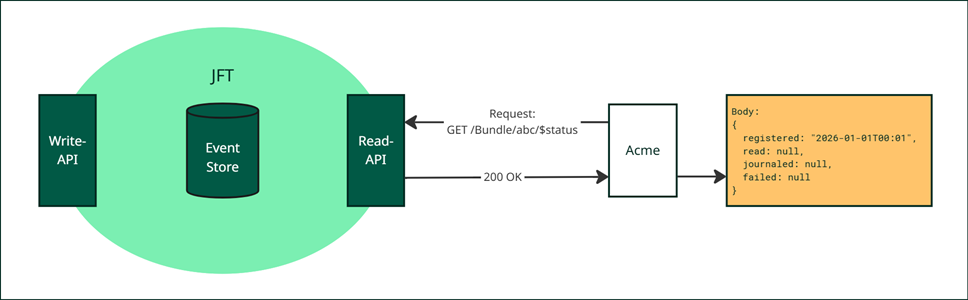
Read events with _lastUpdated (Alt. 1)
HRec retrieves new events using the _lastUpdated parameter. The ReadAPI records the read event and returns
the matching event resource in a searchset Bundle. The value from Acme's nhn-source-system header appears
as a meta tag in the returned resource.
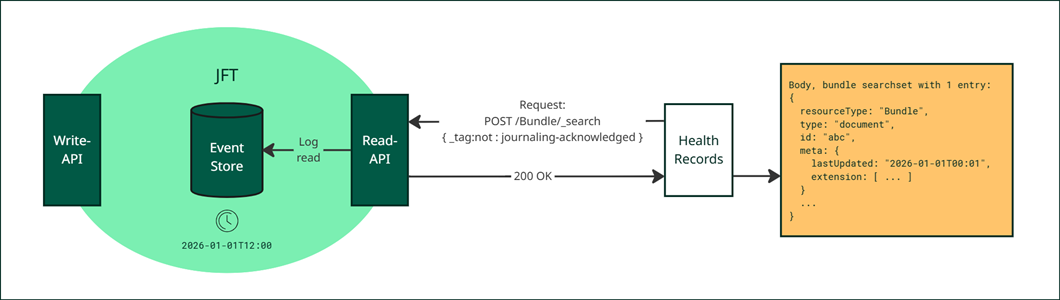
Read events with _tag (Alt. 2)
HRec retrieves new events using the _tag:not parameter, which returns events that have not yet been
acknowledged as journaled. The ReadAPI records the read event and returns the matching resource in a searchset
Bundle. The value from Acme's nhn-source-system header appears as a meta tag in the returned resource.
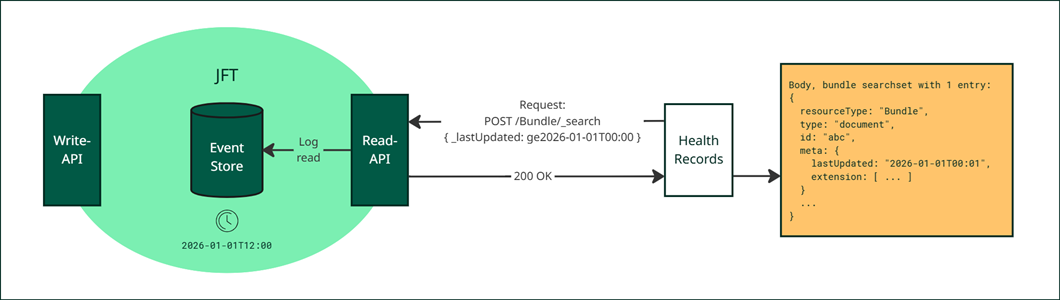
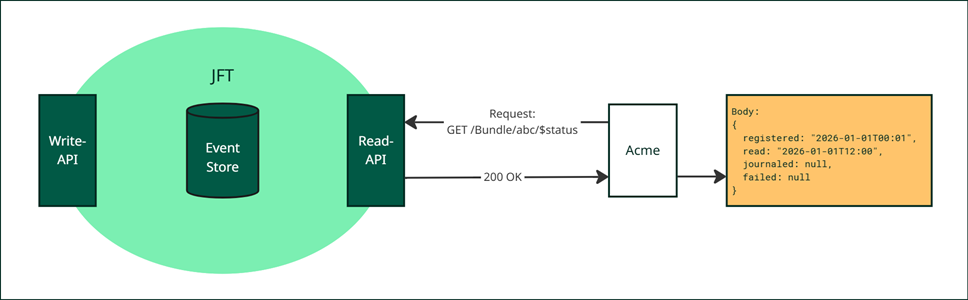
Check status (2)
Acme checks the status again after the event has been read by HRec. The response now includes a read
timestamp in addition to registered.
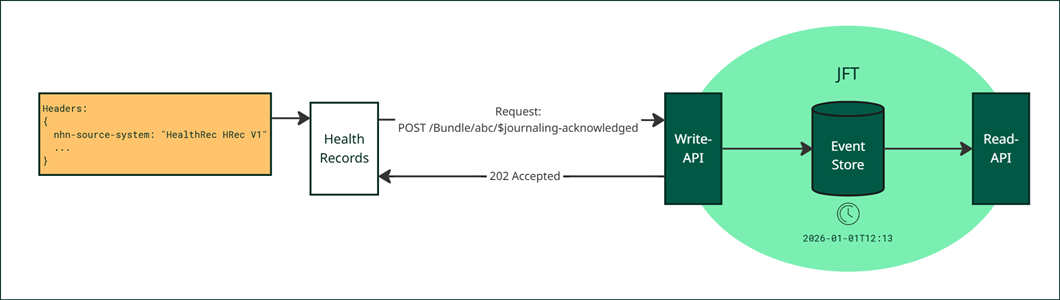
Acknowledge journaling of event
HRec creates a journal note for the event and sends a journaling acknowledgement to JFT to update the event's status.
Check status (3)
Acme verifies that the event has been successfully journaled. The response includes timestamps for all three
lifecycle stages: registered, read, and journalingAcknowledged. No further action is required.